Setting up AI Model Share Credentials:
AI Model Share needs access to create & manage cloud-based resources on your behalf through Amazon Web Services (AWS). This guide shows you how to create an AWS account, access the proper credentials, and create a credentials file to use with the aimodelshare python library.
Step 2: Create an AWS account
If you already have an AWS account, proceed to the next step.
Create an AWS account by going HERE and following the prompts.
Warning
Note that providing your credit card information is required to create an AWS account. Most AWS resources are accessible through the Free Tier, and when usage rises above the Free Tier limits, costs are typically minimal. You can set alerts to be notified when you approach your monthly Free Tier limits.
Step 3: Create an IAM User & AWS Access Keys
In order for aimodelshare to access your AWS resources, you will need to create IAM credentials for your AWS account.
Log in to your AWS account.
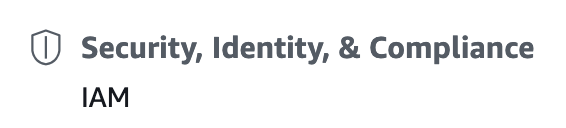
From the AWS Management Console, Navigate to “Security, Identity, & Compliance” and then “IAM”.
In the side menu, navigate to “Access management”, click on “Users”, then click on “Add User” on the right side of the screen.

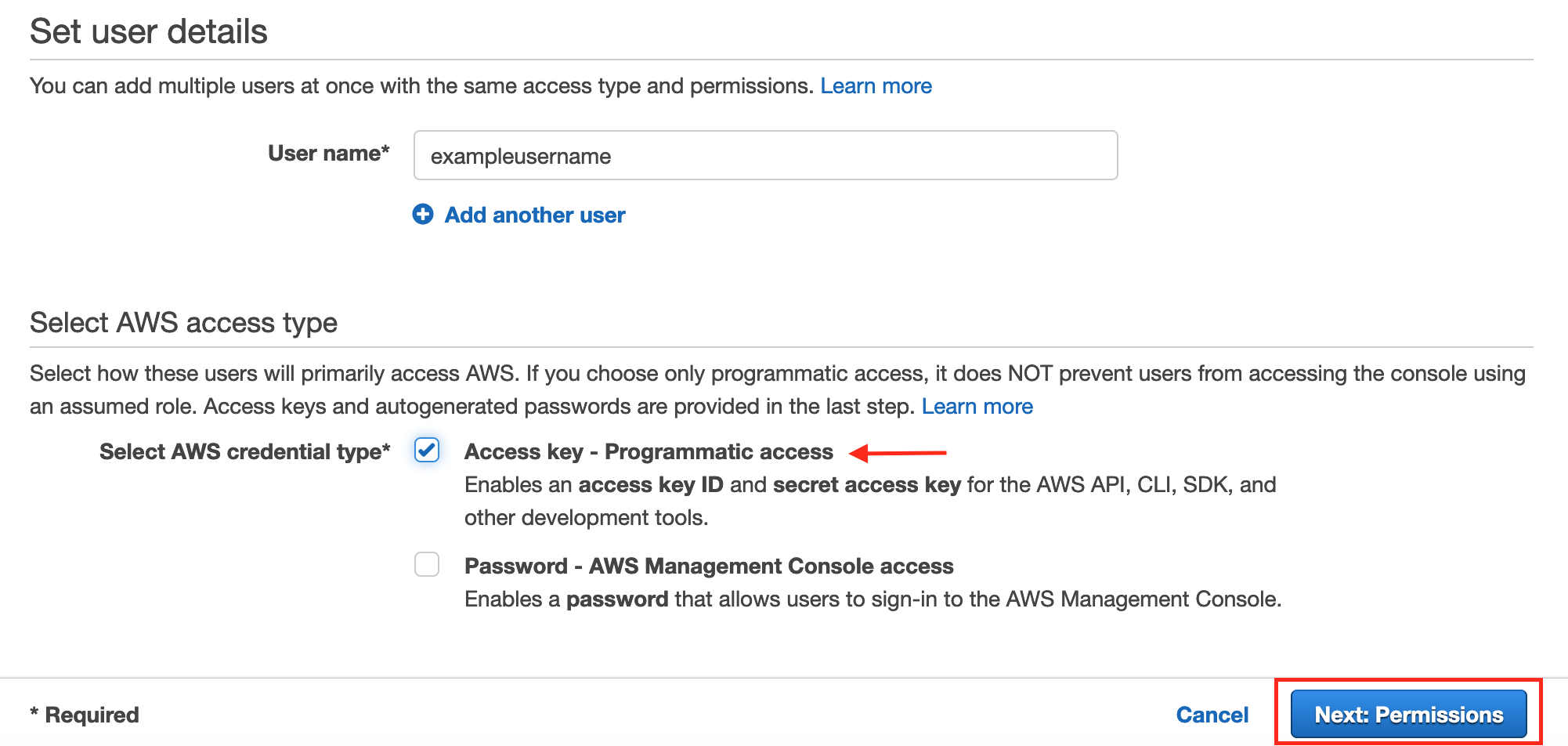
Create a name that you’ll remember, like “aimodelshareadmin”, then enable “programmatic access” by checking the box.
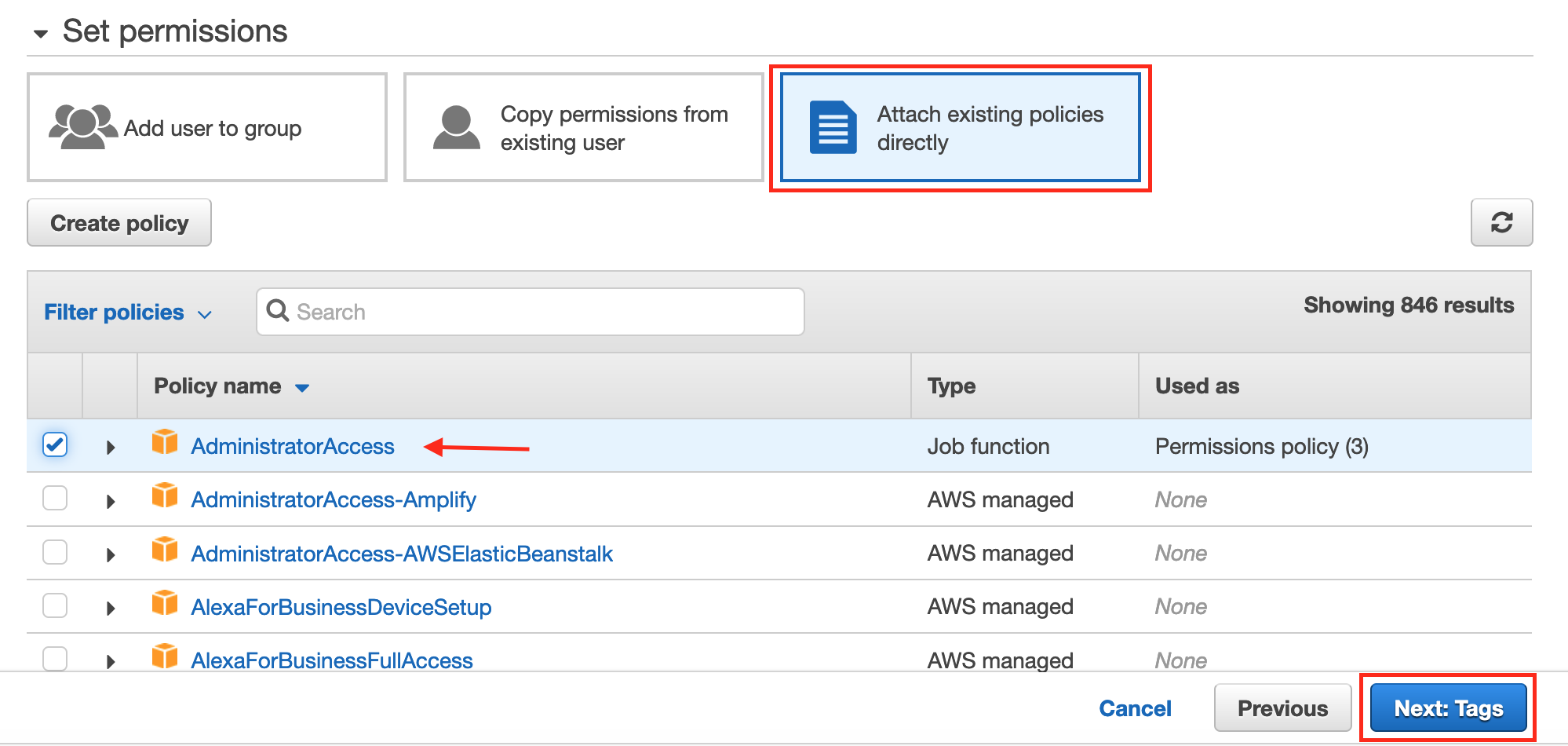
On the next screen, click “Attach existing policies directly”, then “AdministratorAccess”.
Click Next: Review, then “Create User”.
Copy the Access key ID and Secret access key and save them somewhere safe. These are the credentials you will use to link your AI Model Share account to the resources in your AWS account.
Step 4: Create your credentials file
Combine your AI Model Share & AWS credentials into a single ‘credentials file’ with the configure_credentials function. You only have to make the file once, then you can use it whenever you use the aimodelshare library.
#install aimodelshare library
! pip install aimodelshare

# Generate credentials file
import aimodelshare as ai
from aimodelshare.aws import configure_credentials
Warning
Remember to keep your credentials secure! Handle your credentials file with the same level of security you handle your passwords. Do not share your file with anyone, send via email, or upload to Github.
Step 5: Get started!
Now that you have your credentials file, you are ready to work through the AI Model Share Tutorial or one of the Example Notebooks.